

| Quick Answer Canvas and Turnitin are not competitors. In fact, Canvas is a learning management system, and Turnitin is a software service performing similary/plagriarism and AI checks. Canvas cannot do AI detection on its own. Many schools or educational institutes integrate Turnitin into Canvas to detect the AI percentage in the assignments submitted by students. So, if Canvas is showing an AI score, Turnitin or any other connected tool has produced it. |
Canvas Vs. Turnitin: Key Takeaways
- Canvas manages courses, and it does not detect AI.
- Turnitin’s AI detection works inside Canvas only when a school licenses and enables it.
- Scores under 20% and short or list-heavy work are least reliable.
- Treat any score as a starting point, never as proof.
Canvas Vs. Turnitin AI Detection: The Core Difference
Canvas is built by Instructure.
This learning management system manages courses, assignments, grades, and communication.
Furthermore, Canvas logs the following elements.
- Timestamps
- Edit History
- File Submission Data
So, Canvas is the pipeline or the repository of the assignments, and Turnitin is the AI detector plugged into it.
What Turnitin Adds To It
Turnitin can only do AI detection on Canvas if the instructor or the institution enables it in Canvas.
Also, note that the Turnitin integration is different from the LLM-Enabled Assignments as part of the IgniteAI suite.
This has become possible after a 2025 partnership between Instructure and OpenAI.
It is not an AI detector.
However, it is a deliberate feature of Canvas to allow students to interact with AI.
Thus, educators can also see how students are interacting with AI and the integrity part of it.
Canvas Vs. Turnitin: At A Glance
| Question | Canvas | Turnitin |
| What it is | Learning management system | Similarity and AI writing detection service. |
| Built-in AI detection | No | Yes, where the school enables it. |
| Who decides | School chooses the integration | Instructors and administrators. |
| Who sees the AI score | Not applicable | Instructors and administrators, not students. |
| Languages | Not applicable | English, Spanish, Japanese. |
| Submission rules | Not applicable | 300 to 30,000 words; .docx, .pdf, .txt, .rtf. |
How Turnitin Works Inside Canvas?
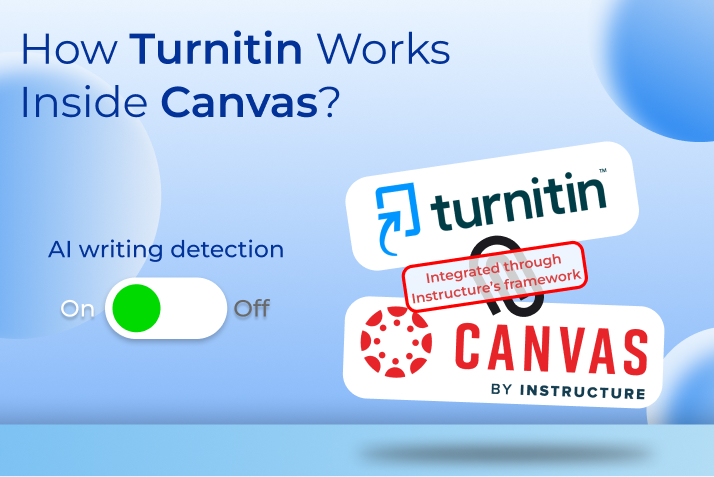
You have to connect Turnitin to Canvas through Instructure’s integration framework.
Also, Turnitin runs only if the institution licenses it and enables AI writing detection.
Here, the setting is very important.
A University of Nebraska Medical Center library study uploaded AI-generated text to Canvas and received a similarity report but no AI result.
It happened because the AI feature was disabled at the institution.
Turnitin Settings That Can Change The Result
Suppose you have forgotten to enable Turnitin on Canvas and some students have submitted assignments.
You can ask them to resubmit their assignments again after enabling Turnitin so that Turnitin can check the AI.
Furthermore, along with the institutional configuration, the type of submitted text matters for AI detection through Turnitin on Canvas.
Turnitin officially states what qualifying prose is.
“Qualifying text (prose sentences contained in long-form writing format) means individual sentences contained in paragraphs that make up a longer piece of written work, such as an essay, a dissertation, or an article, etc.
The model does not reliably detect AI-generated text in the form of non-prose, such as poetry, scripts, or code, nor does it detect short-form/unconventional writing such as bullet points, tables, or annotated bibliographies.
This means that a document containing several different writing types would result in a disparity between the percentage and the highlights.”
What The AI Score Offered By Turnitin Means
Turnitin assesses each sentence and offers a score of 0 or 1.
0 means human-written and 1 means AI-written.
Then, it does a page-wise aggregation to give a score for the entire document.
If the score is detected between 1% and 19%, it adds an asterisk.
This is because its own testing found more false positives in that range.
However, it claims that there are only 1% false-positive reports for texts above 20%.
Furthermore, according to a Consortia Advancing Standards in Research Administration Information (CASRAI) report, the accuracy of Turnitin is not beyond question.
It further adds,
“Reliability concerns have led at least some institutions to change how, or whether, they use Turnitin’s AI-writing feature.
Curtin University announced it would disable Turnitin’s AI-writing detection from January 1, 2026, while keeping the platform’s text-matching/originality checking in place, framing the decision around trust and clarity in assessment.”
What Turnitin Cannot Detect?
Turnitin itself says that it cannot assess code, poetry, scripts, bullet lists, tables, and annotated bibliographies.
Also, if the prose is very brief and less than 300 words, it cannot provide accurate results.
Accuracy And Fairness Concerns
Independent results contradict the headline claims in places.
A classroom test of 320 essays reported a 15% false positive rate and 31% for ESL students (Working Educators), though larger benchmarks report lower figures.
Liang et al. found a 61.3% average false positive rate on TOEFL essays across seven detectors (CASRAI).
Scale shows the stakes. Washington State University’s memo counted 148,547 assessments in Fall 2024.
So, a 1% error rate implies almost 1,485 wrongful flags (Token Runner).
What Experts Say
The University of Wisconsin–Whitewater’s teaching center cautions that scores under 20% can come from normal human writing.
AI detection also happens in especially formal, concise, or multilingual prose.
Turnitin’s Annie Chechitelli acknowledged that real-world use differed from lab results.
How To Read A Turnitin AI Report
As Turnitin has its own checklist about the qualifying prose, an instructor must also ensure that the submitted text is meeting the same criteria.
- Confirm the submission met the requirements: a supported language, 300 to 30,000 words, and an accepted file type.
- Note whether the score shows an asterisk, which signals a 1% to 19% result with higher false positive risk.
- Remember that headers, quotations, and reference lists are excluded from the percentage.
- Read the sentence-level highlights, not only the headline number.
- Consider genre, since code, poetry, lists, and annotated bibliographies are poor fits.
For example, suppose a student has submitted a 1500-word essay.
The essay gets a score of 17% with an asterisk.
The instructor will see this as inconclusive and ask the student to walk through their drafts, instead of recording a violation.
So, if you are taking help from AI for writing an essay, you must cite AI properly or add a proper AI use disclosure statement.
You May Also Love To Read: AI Text Detector vs. Turnitin: How Do They Really Compare?
Common Myths About Canvas And Turnitin
Three misconceptions cause most of the confusion about the use of Turnitin and Canvas.
Myth: Canvas Detects ChatGPT Automatically
Canvas has no native AI detection.
Detection happens only if a school adds a tool and turns it on.
Myth: The AI Score And Similarity Score Are The Same
They are separate checks, and they can produce completely different results on the same document.
For a better understanding, you can read the AI detector vs. plagiarism checker comparison.
Myth: Turnitin Catches Every Rewritten AI Text
Turnitin added AI bypasser detection by mid-2025, but only its English detector includes paraphrase and bypasser detection.
Its Spanish and Japanese detectors cannot detect AI bypassers.
What Students And Instructors Should Do
Irrespective of whether you are a student or educator, you should see the AI detection score of Turnitin on Canvas as a starting point.
It is not proof or absolute evidence of the use of AI in writing, and it is a probability based on core mathematics of perplexity and burstiness.
Perplexity means the probability or predictability of the writing, and burstiness means the variations in sentence length and formation.
Predictability further refers to how an AI detector finds the choice of words predictable.
The higher the predictability rate, the higher the chances of the AI detector flagging the writing as machine-written.
Nevertheless, as students or instructors, these are the things to do.
So, to make the use of AI in studying and writing or its assessment more ethical, these are the things to be done by students and instructors.
Students
Write in a tool with version history, keep drafts, and follow your course AI policy.
Canvas’s own timestamps and submission records can also support your account of how and when you worked.
If your work is flagged, ask what the score covers, since Turnitin excludes quotations, headers, and reference lists.
Share drafts and request a conversation about your process.
Instructors
Have students submit the same file format, which Turnitin recommends for AI writing detection, and never treat the score as proof.
Initiate a conversation with the student and check the drafts to find the use of AI.
Canvas Vs. Turnitin AI Detection: Frequently Asked Questions (FAQs)
Here are the frequently asked questions and answers about the Canvas vs. Turnitin comparison.
1. Does Canvas Have A Built-In AI Detector?
No, the learning management system (LMS) of Canvas does not have a built-in AI detector.
However, AI detectors such as Copyleaks and Turnitin can be easily integrated into the platform, and these offer scores for submitted text only if they are switched on.
2. Can Students See The AI Score?
No, students cannot see the AI score provided by Turnitin or Copyleaks on Canvas on the student-facing similarity report.
Only instructors or administrators can see the AI score.
3. What Length And File Types Does Turnitin Accept For AI Detection?
Turnitin can detect text between 300 and 30,000 words of prose.
Furthermore, the file size should be under 100 MB, and the formats should be .docx, .pdf, .txt, or .rtf.


